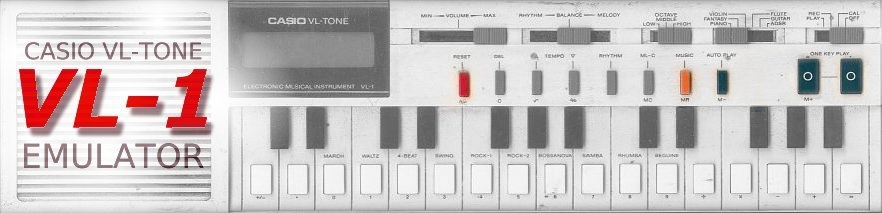
VL1 is a freeware emulator of the world famous classic calculator annex mini-synthesizer from the eighties made by Casio. VL1 is not a sample player, it is a real emulator that emulates the original hardware. All sounds are generated by software equivalents of the original circuits and the calculator actually works. This also means that ADSR sound programming is fully functional! VL1 was written in honour of Casio’s little VL-TONE that has given me many hours of pleasure and fun.
VL1 is a PC-only VSTi plugin (VST V2.3 or later).

How to use the VL1 VSTi
Stand-alone
Download Hermann Seib’s excellent SAVIHost, unpack it and rename the file “SAVIHost.exe” to “VL1.EXE”. Put this file in the same folder as the file “VL1.DLL”. Launch “VL1.EXE” and use the mouse to play the virtual instrument. All keys and sliders are fully functional in all modes. When you move the mouse over a key or slider, a tool tip will show up displaying in a more readable manner what the key is for. You may want to read the original Casio VL-TONE user’s manual to better understand what you can do with it (see the Download section).
VSTi
Copy the file “VL1.DLL” to the plugin folder of your favourite VST 2.3-compatible host. Make the host recognize VL1 by rescanning its plugin folder(s). You may have to restart the host program for this. Once your VST-compatible host recognizes VL1 you can use it as any other VSTi. VL1 will create two channels, one for the rhythm sounds and one for the synthesizer. The synthesizer is always on MIDI channel 1, the rhythm sounds are on MIDI channel 2. Currently there are only three rhythm sounds that live on the notes C3 (60), D3 (62) and E3 (64). You can use as many instances of VL1 as you like and your system can support.
Quick start guide
The VL-TONE is fairly simple to operate. Switch to “Play” mode, choose a sound and play the keyboard. However, there are some things that need a bit more explaining. A short description of these features follows below. Detailed manuals can be found in the Download section.
Rhythm
Rhythms need two keys to get going: first press the “Rhythm” key and then select the rhythm by pressing one of the white keys in the range left B … right D, as indicated by the tool-tip that pops up. You can then change tempo by pressing one of the tempo buttons. Note that you need stereo as rhythms are panned hard right whereas the synthesizer is panned hard left.
Recording
You can record and edit a melody of up to 100 notes. For this you should switch to “Rec” mode. Press “ML-C” to clear the memory and play your melody. Don’t worry about timing, because you can correct that afterwards. You can play along with a rhythm if you prefer, but note that the rhythm is not recorded. Stop recording by pressing “Reset”. (There are other ways to stop recording.) Now you can listen to your melody by pressing “Auto Play”. You can retime or edit your melody by stepping through it with the “One Key Play” keys. Delete a note by pressing “Del”, insert a note by playing it at the right position. These two operations will beep. When the memory is full the display will show a row of dots. Note that the tempo setting has an influence on the record timing.
ADSR
The best feature of the VL-TONE is probably ADSR programming. ADSR is a well-known acronym for most synthesizer players. For those who don’t know it, ADSR stands for Attack-Decay-Sustain-Release and in the case of the VL-TONE it relates to how the volume of a note evolves over time. See the manuals for the details, next will follow only a brief description.
Set the preset switch in the ADSR position and switch to “Cal” mode. Clear the memory by pressing “ML-C”, punch in a number, any number, and hit “M+” (or “M-“). Go back to “Play” mode and hit the keyboard. The sound you hear depends on the number you entered.
So how does the ADSR sound relate to the number? Easy: a sound is made up of 8 digits in a row, where every digit can have a value from 0 to 9:
- the first (most left) digit controls the wave form, the “sound”; 0=piano, 1=fantasy, 2=flute, 3=violin, 4=guitar1, 5=guitar2, 6=horn, 7=elektro1, 8=elektro2, 9=elektro3
- digit 2 is for the Attack of the volume, 0 is fast, 9 is slow;
- digit 3 is for the Decay of the volume, 0 is fast, 9 is slow;
- digits 4 & 5 control the Sustain of the volume; This is a bit more complicated as it is not a traditional sustain. If both are 9 you will get a continuous full-on constant sustain. For other combinations you will get different kinds of curves.
- digit 6 is for the Release, when you release a key. 0 is fast, 9 is slow;
- digit 7 is for vibrato, 0 is fast, 9 is slow;
- digit 8 (most right) is for tremolo, 0 is fast, 9 is slow;
Note that the sign of the number and its decimal point (if any) are ignored.
For the last time, refer to the manuals in the Download section for more detailed explanations.
Features
The goal when programming VL-1 was to get as close to the real thing as possible. During development I stumbled upon a number of subtleties that I had never noticed before and I have tried to emulate these as well. Some things however are different:
- automatic power down after some six minutes of inactivity has been left out
- the DC-clicks when changing between modes have not been implemented
- rhythm and melody have separate outputs
- finally MIDI (melody on channel 1, rhythm on channel 2)
- access to the individual rhythm sounds (C3, D3 & E3 on MIDI channel 2)
- automation of parameters
Some things have not yet been done
- tune (on the back of the VL-TONE)
- synchronization of rhythm and recorded melody with host
- separate simulated speaker and line outputs
- more memory for ADSR presets
- more rhythm sounds
Some things have to be done better
- automation
- other host-plugin related things
- rhythm noise sound
Finally some things that will probably never be implemented (by me)
- hand-over-speaker simulation, use a filter plugin instead
- low-battery distortion, use a distortion plugin instead
- AU, LADSPA or other plugin formats
VL-TONE versions
I know of several versions of the VL-TONE:
Casio VL-TONE with small LCD (white)
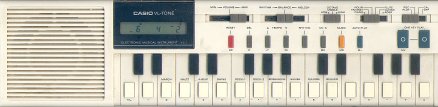
This is one that I picked up on eBay for 1 euro because it didn’t work. Luckily it was very easy to repair.
Casio VL-TONE with large LCD (white)
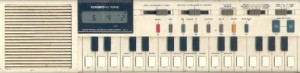
This is the first VL-TONE that I bought in 1981 or so.
Liwaco LW-610 (bordeaux red)
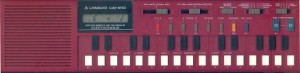
This model has French print on it. It seems identical to the small-LCD Casio VL-TONE.
Realistic Concertmate 200 (white)
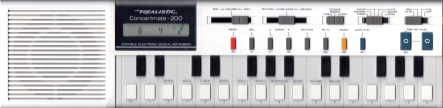
Identical to the small-LCD Casio VL-TONE, but with different branding.
Elektronika IM-46 (black and white)
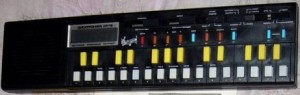
Kirill Surovtsev made me aware of a Russian version, the Elektronika IM-46 or Elecim 46. It seems to have the large LCD. More pictures are here.
My Own Elektronika IM-46
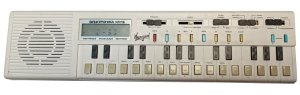
Thanks to my Serbian friend Luka, I now (august 2022) own a real Russian Elektronika IM-46. It is white and not in mint condition, but I managed to restore it enough to make it work again. The display has problems showing the upper segments. Also, it is missing a slider cap, so if you happen to have one lying around, please contact me (email in the contact section below).
The build quality is not very good, the plastic looks cheap, and the sound is thinner due to the bad plastics and speaker, but it works. The electronic circuit is almost identical to the original except that it is all Russian parts. Even the main chip is a Russian clone.
If you know of other VL-TONE versions, please drop me a line (email in the contact section below).
Download
V1.0.1.0 (22/12/2006)
This version fixes a problem brought to my attention by David Boeser. The problem was due to the new handling of live MIDI events (f.i. when you play an external MIDI keyboard) as introduced in VST V2.4. This new handling interfered with the MIDI event handling of the VL-TONE emulator (VST V2.3), resulting in stuck notes and no more sound.
V1.0.0.0 (7/12/2006)
This is the first release.
Source code
The source code was lost for a long time, but recently I stumbled upon it when cleaning up some hard disks. I don’t know if it is complete. It was done with Visual Studio 6.
Schematics
Analog board only, I will not do the digital board.
Manuals
English, from www.oldschool-sound.com
French, contributed by Harry
German, contributed by Daniel Balle
Russian, found on a soviet file sharing server
Swedish, contributed by Patrik Markusson
Song books
Concertmate melodies, contributed by George Portier
License
“VL1.DLL” (the software) is not for resale and may not be sold nor distributed without prior written approval of the author. “VL1.DLL” may only be obtained by downloading it from www.polyvalens.com
“VL1.DLL” may be used in commercial productions as long as these productions do not include the software itself.
If you are unsure if what you want to do with this software is covered by this license contact the author at www.polyvalens.com
Credits
All trademarks are property of their respective owners.
“VL1.DLL” is copyright Clemens Valens (www.polyvalens.com)
VST Plugin technology by Steinberg (www.steinberg.de)
The real thing was made by CASIO (www.casio.com)
Contact
